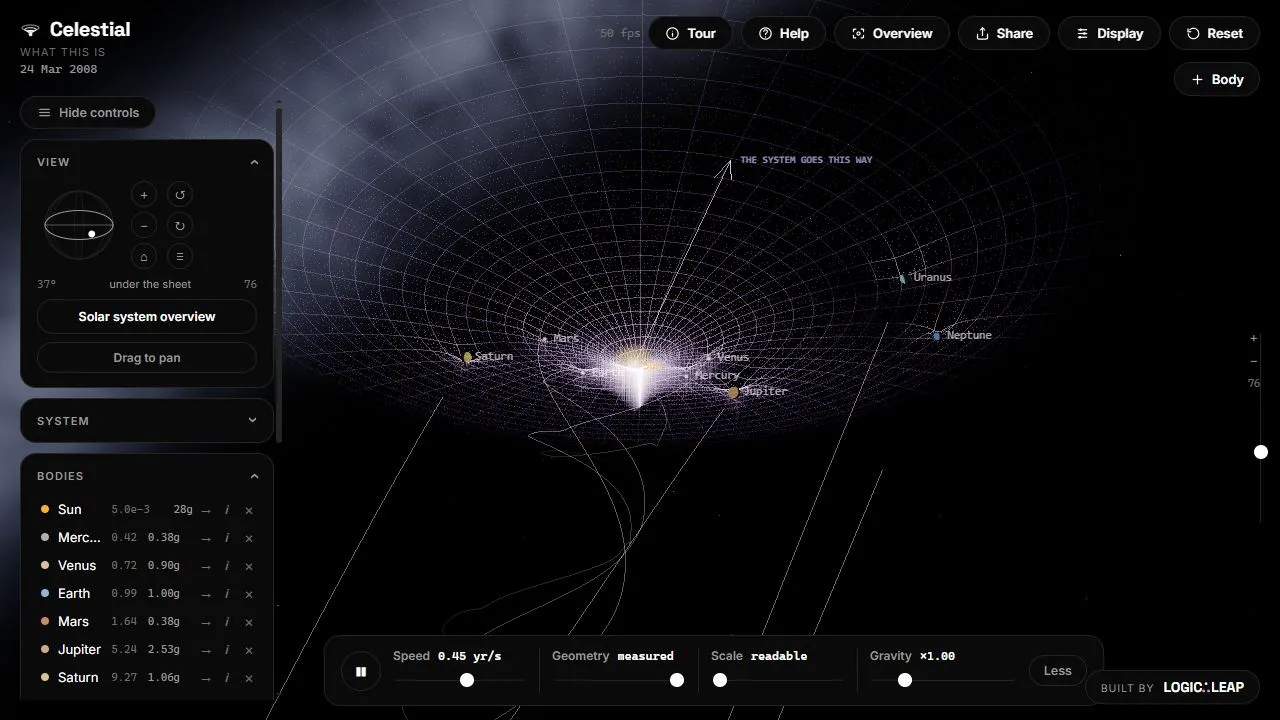
Celestial is a solar system you can alter: change gravity, follow a planet, add a body or remove one and watch the simulation respond. Camera, speed and scale controls help make orbital relationships easier to examine.
Start with a familiar system
The initial view includes the Sun and planets. Select a body to inspect it, follow it with the camera or use the overview to regain your bearings. The introductory tour explains the controls.
Change one thing
Pause or slow the simulation, adjust gravity or add a body, then resume. A controlled change is easier to understand than several dramatic edits at once. Reset restores a starting point.
Read the display carefully
Scale and geometry controls affect how the system is presented. A readable picture is not necessarily a literal view of physical sizes and distances. Treat the result as an interactive model, not a precise prediction.
Things to know
- Many controls make the first visit demanding.
- Complex scenes can strain graphics hardware.
- Changing display scale can distort visual intuition.